
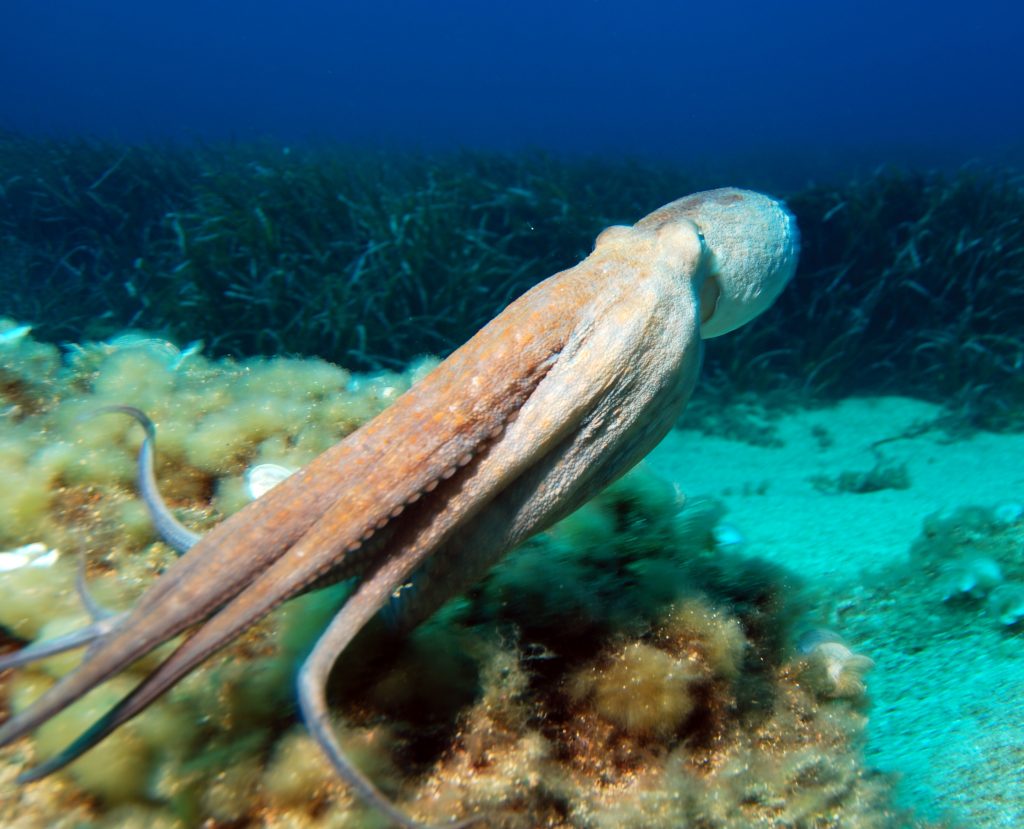
The Target: An Octopus Underwater
If your session left you feeling like you were floating, swimming, or getting tangled in something squishy, you were totally tuned in! The target is a photograph of an octopus swimming over a rocky, sandy seabed surrounded by seagrass.
What You Might Have Experienced:
Visuals & Shapes: You may have sketched elongated, flowing, or tapering shapes moving horizontally. You might have picked up on the bulbous, rounded form of the octopus’s head (mantle) contrasting with the trailing lines of its tentacles. Colors that often come through for this environment are deep blues, turquoise, greens, and the sandy/fleshy tones of the octopus itself (tans, browns, and oranges).
Sensory Data: Did you get impressions of “wet,” “fluid,” “cold,” or “buoyant”? A strong sense of motion, gliding, or propelling through a dense medium is a great hit here. You might have also sensed a textural contrast: the soft, smooth, perhaps slippery texture of the animal versus the rough, gritty texture of the rocks and sand below.
Concepts & Energetics: You could have tapped into the biological, living essence of the target. Concepts like “marine life,” “camouflage,” “intelligence,” or “alien-like” are highly relevant. You might have sensed a feeling of observation or alertness, as octopuses are highly aware of their surroundings. Alternatively, you may have picked up on the immense weight or vastness of the water surrounding the subject.
If your notes mention a squishy, brainy balloon trailing ropes through a blue void, you absolutely nailed it! Whether you accurately sketched the marine environment, sensed the fluid motion, or simply picked up on the distinct “wet and wild” energy of the target, you’ve done excellent work. Time to come up for air and relax!
To ensure your submission is processed quickly, please merge your photos or documents into a single PDF file before uploading. Here are the easiest ways to do it:
If you already have multiple PDF files on your computer: