
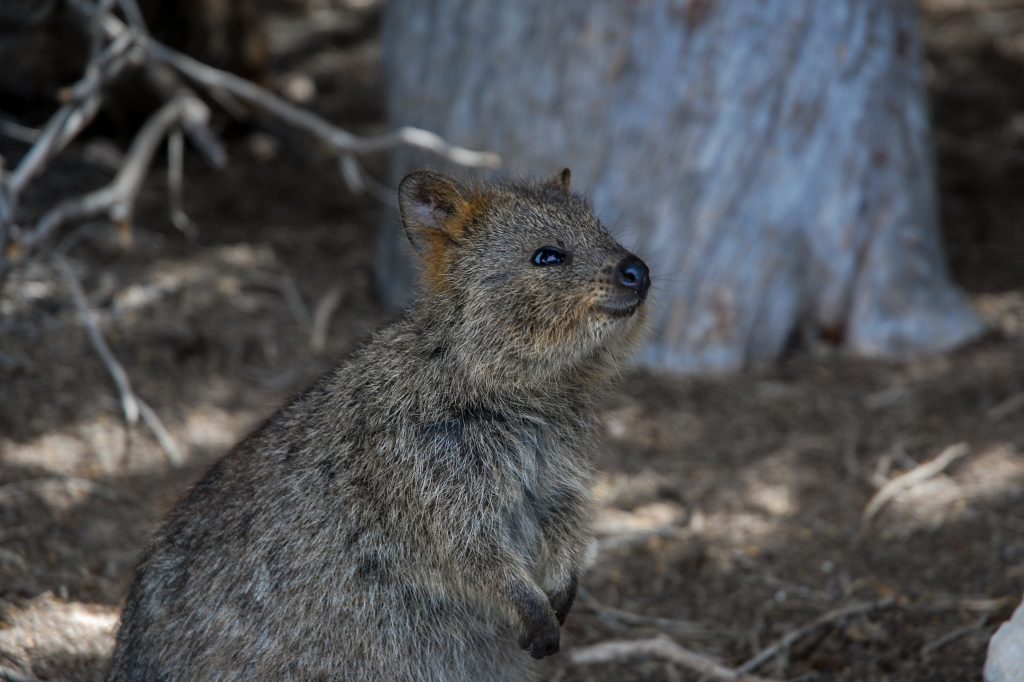
The Target: A Smiling Quokka
If your session left you feeling warm, fuzzy, and inexplicably cheerful, your intuition was working perfectly! The target is a photograph of a quokka, a small macropod famous for its seemingly permanent smile, sitting on the ground in its natural habitat.
What You Might Have Experienced:
Visuals & Shapes: You may have sketched small, rounded, or pear-like shapes resting on the ground. You might have perceived a central, furry object surrounded by natural elements like dirt, dry branches, and perhaps a textured, vertical structure resembling a tree trunk in the background. Colors that often bleed through for this type of target include earthy browns, greys, muted tans, and perhaps a hint of the light filtering through branches.
Sensory Data: Did you get impressions of “soft,” “furry,” “dry,” or “scratchy”? A strong sense of coarse fur or the dry, dusty earth beneath the creature is highly relevant here. You might have also caught a phantom scent of dry vegetation, dust, or a musky, animalistic odor.
Concepts & Energetics: Sometimes viewers pick up on the energetic vibe of a creature. You might have sensed an overwhelming feeling of “friendliness,” “curiosity,” or “happiness,” as quokkas are affectionately known as the world’s happiest animals. You could have tapped into concepts of “wildlife,” “marsupial,” “island life” (as they are native to places like Rottnest Island), or a sense of small-scale scurrying or foraging.
If your session notes describe a cheerful, furry little potato radiating good vibes in a dry forest, you’ve hit the jackpot! Whether you nailed the exact animal, sensed the natural outdoor environment, or simply picked up on the incredibly positive, friendly energy of the subject, excellent work. Keep smiling!
To ensure your submission is processed quickly, please merge your photos or documents into a single PDF file before uploading. Here are the easiest ways to do it:
If you already have multiple PDF files on your computer: